 BLÄCK
Svenska
BLÄCK
Svenska
Features
Everything in Bläck Studio, from the first scene to the finished manuscript.
Writing
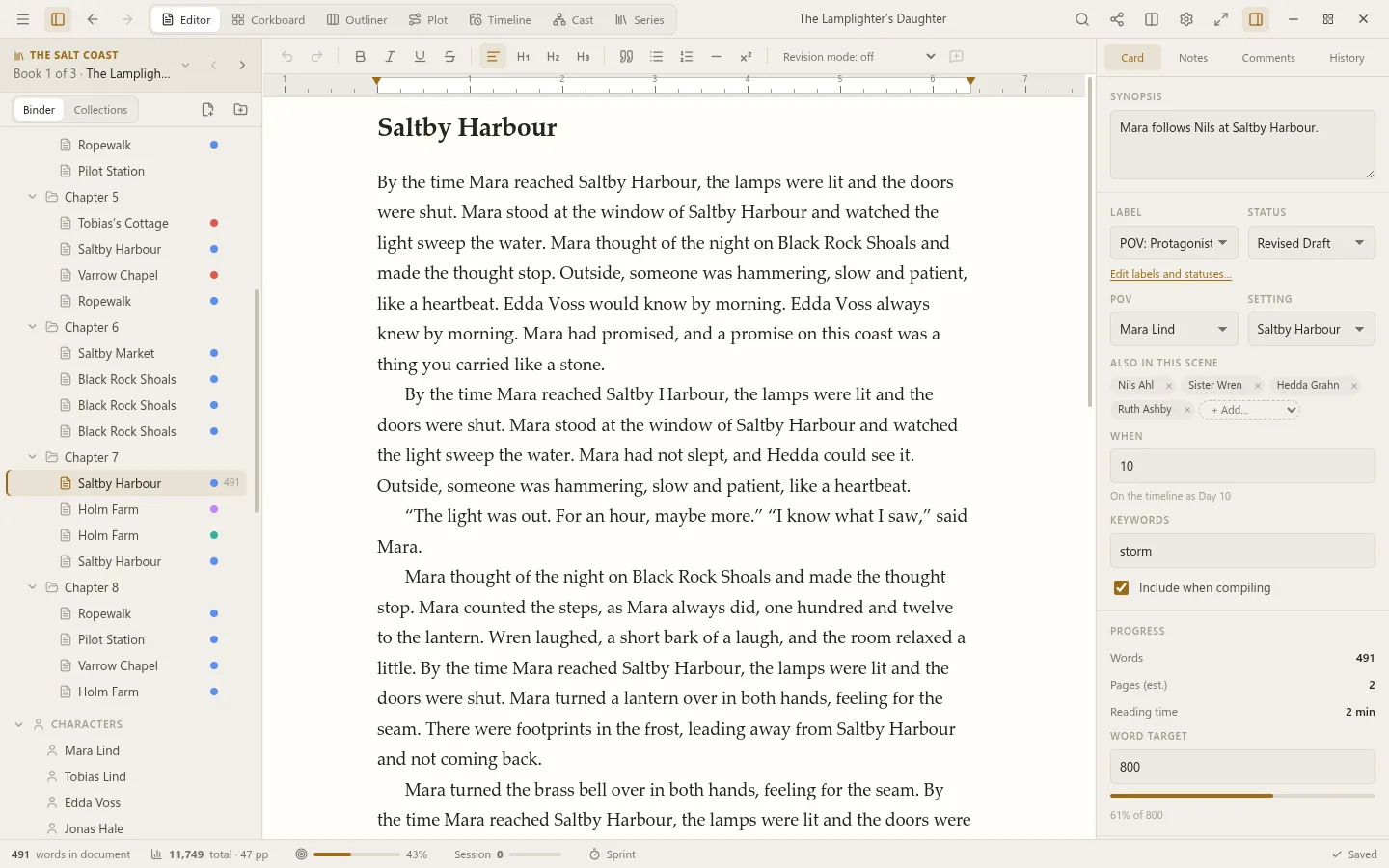
The book is made of scenes in chapters, in a binder beside the text. Write one scene at a time, or read a whole chapter as one.
- Scenes and chapters in the binder: drag them into a new order, and nest folders as deep as the book needs.
- Scrivenings: a chapter’s scenes, or any selection, as one document to read and edit straight through.
- A split editor, for the scene you’re writing beside the one you’re looking back at.
- Composition mode, typewriter scrolling and a ruler, with the typeface, size and line width you write best in.
- Margin comments, footnotes, and a revision mode that colours what you add and strikes through what you cut, for each draft pass.
- Spelling in English and Swedish, with a dictionary of the book’s own names and words.
- Find and replace across the whole book, Quick Open for any scene by name, and a command palette for everything else.
Planning
See the shape of the book, and change it, without leaving the text behind.
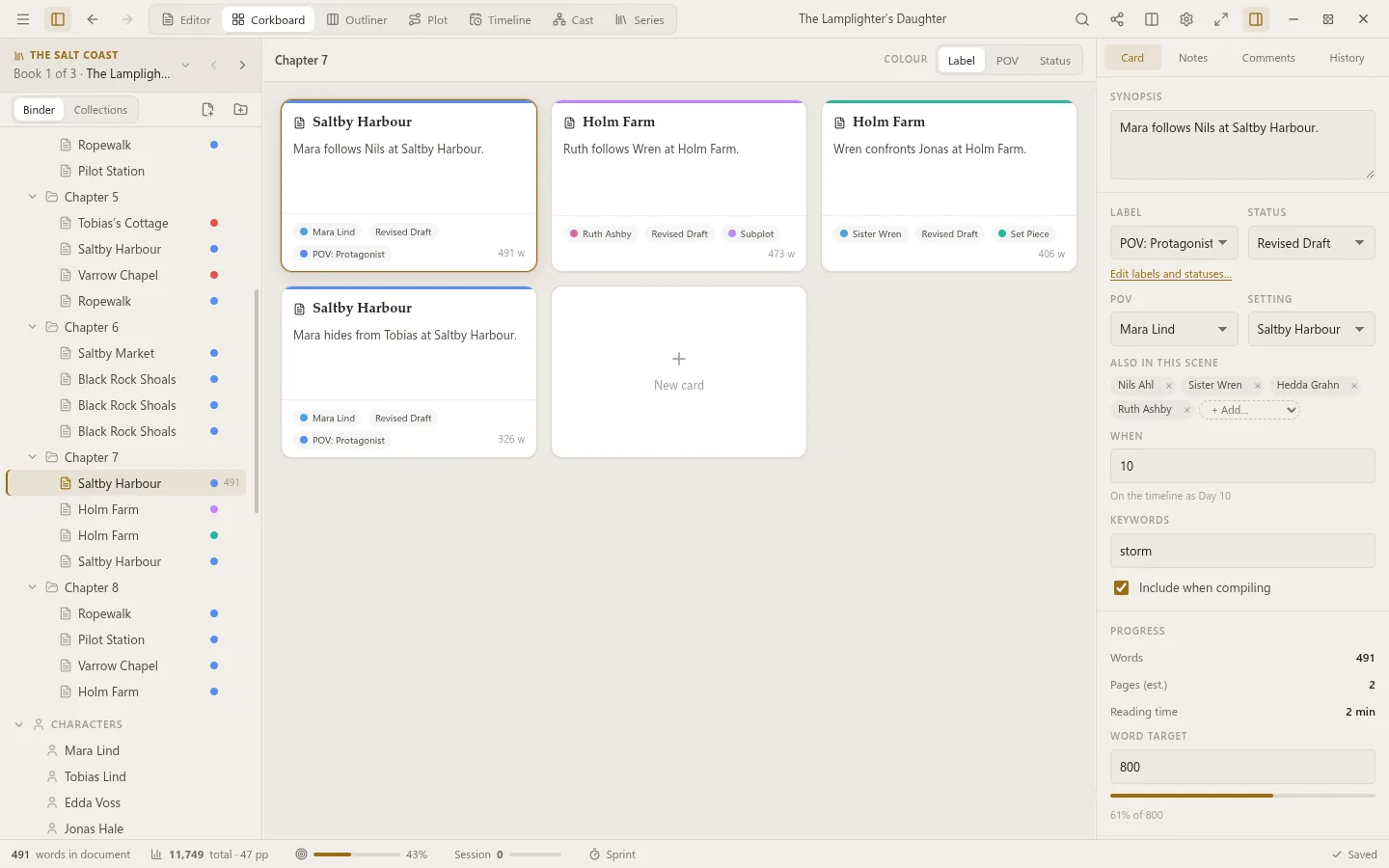
- The corkboard: every scene a card with its synopsis, label and status. Drag cards and the book follows.
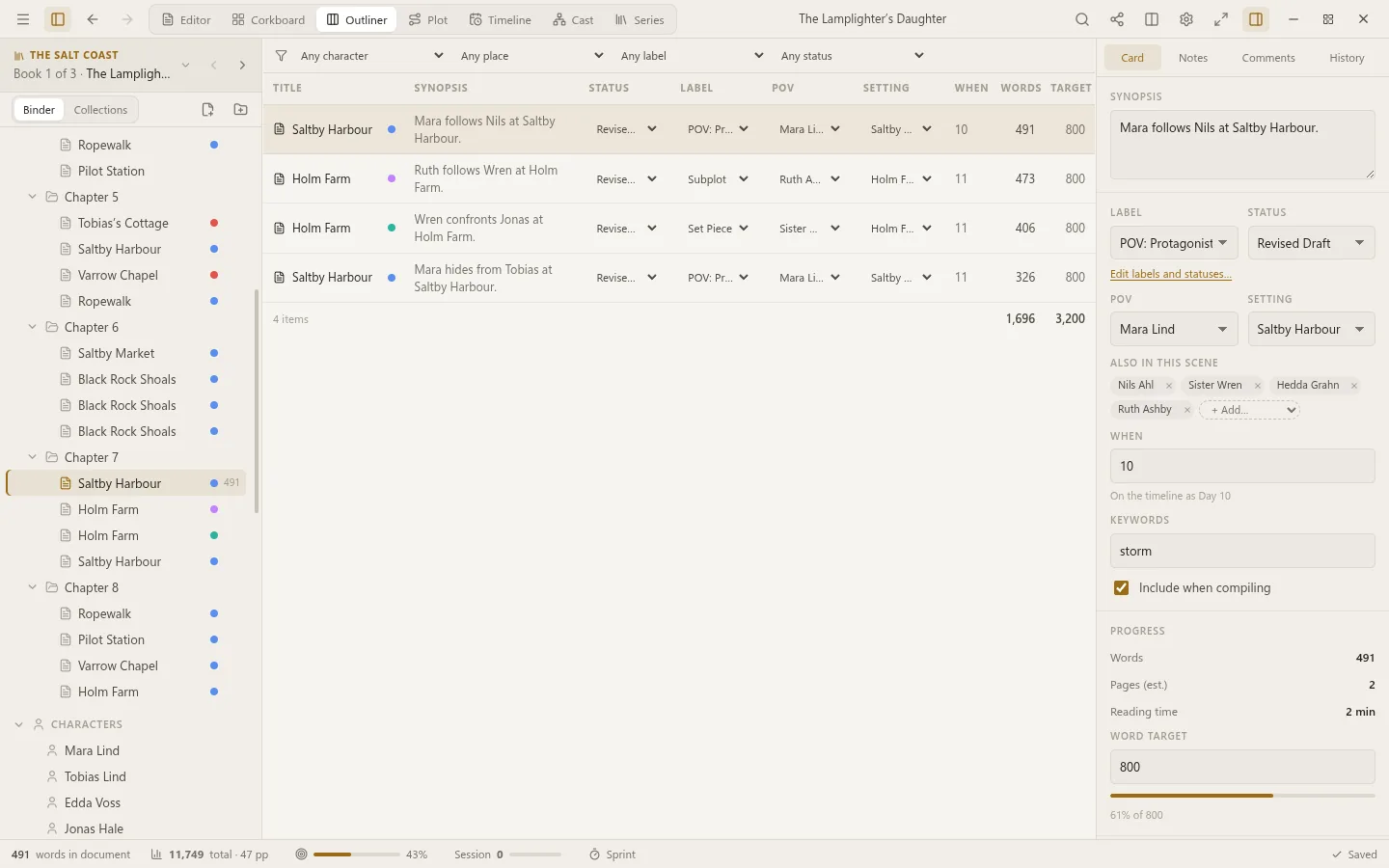
- The outliner: the book as a table of synopses, points of view, settings, word counts and targets.
- Labels and statuses of your own, with colours: “POV: Mara”, “First draft”, “Revised”.
- Collections: any scenes kept together under a name, beside the binder, without moving them.
- Story templates to lay over the plot grid: Three-Act Structure, Save the Cat!, the Hero’s Journey, Romancing the Beat and Seven-Point Structure.
Plot grid and timeline
Which storyline is in which scene, and when everything happens.
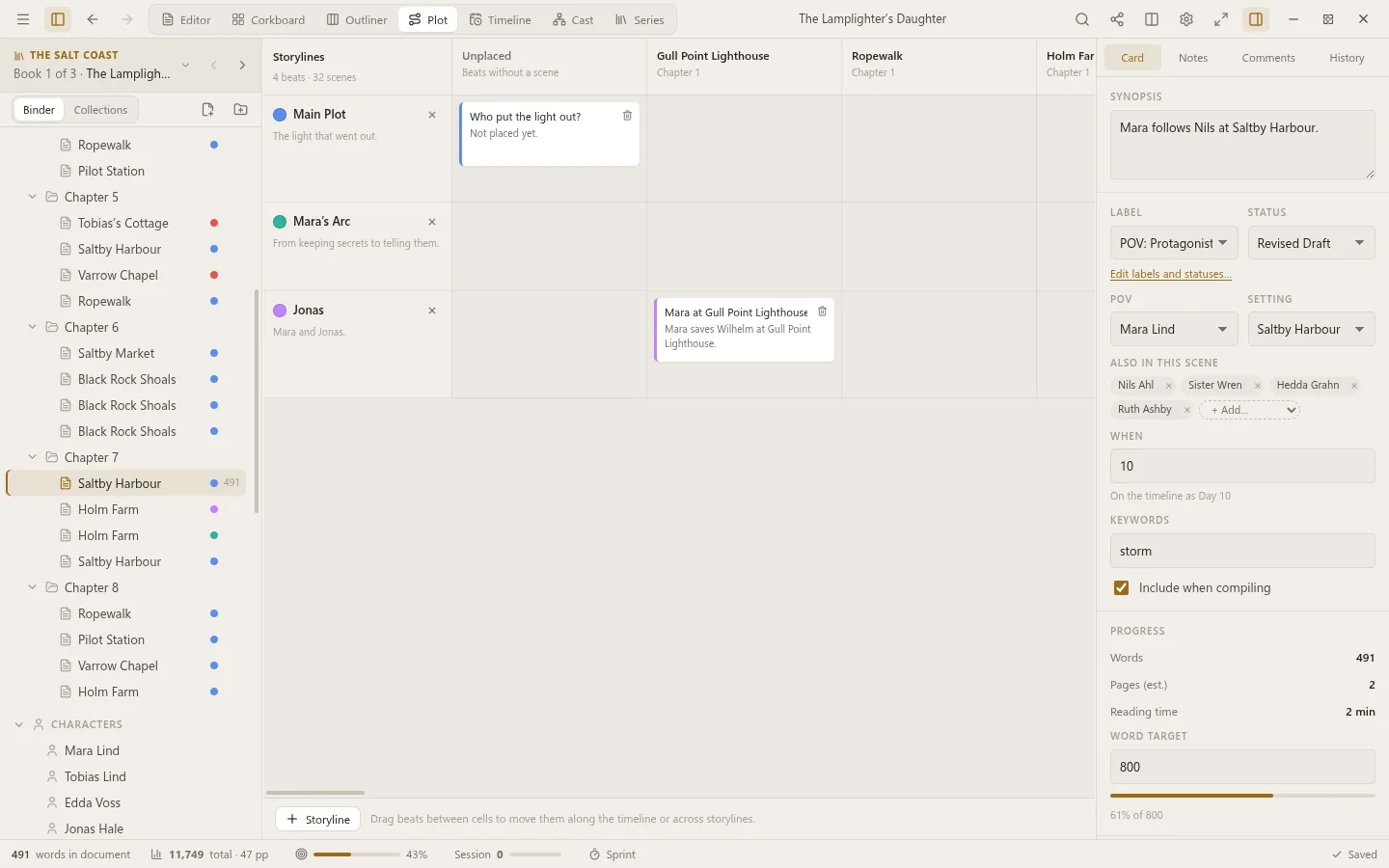
- The plot grid: storylines against chapters, so you see where a thread goes quiet.
- The timeline: each scene by when it happens, whatever order you tell it in. By day number, by date, or to the hour.
- A character’s scenes alone, followed through the book.
Characters and places
The people and places of the book, on sheets of their own, linked to the scenes they’re in.
- Sheets with the fields you choose: age, appearance, wants, fears, voice. Change what a new sheet asks about.
- Points of view, settings and who else is in each scene, on the scene’s card.
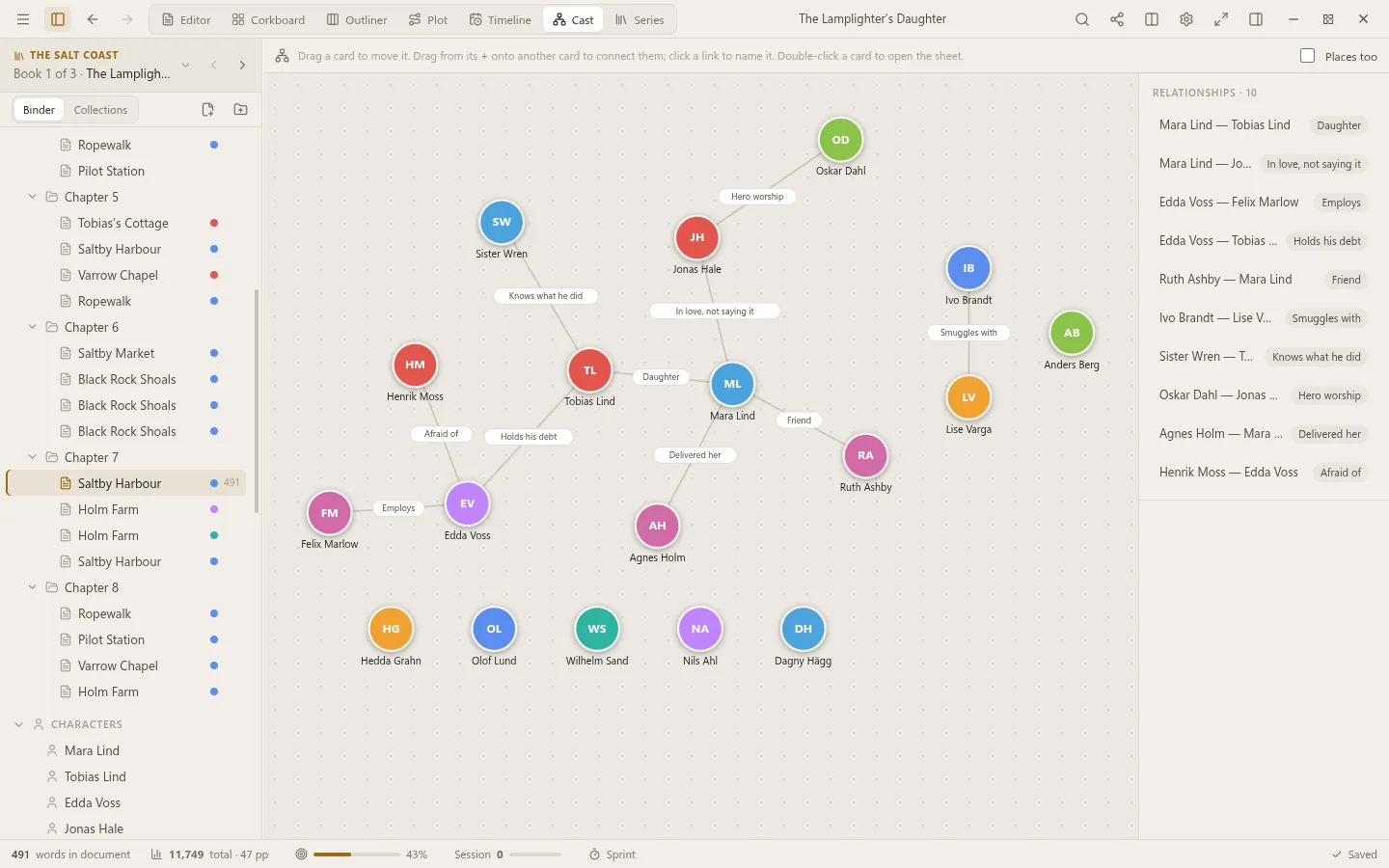
- The relationship map: who is what to whom, drawn and named as you like.
- Check names: finds misspellings, near misses and stray variants of every name in the book.
Series
Books in a series share what they have in common, and know about each other.
- A series bible: characters, places and notes shared by every book. Change one once and every book knows.
- One timeline for the whole series, with backstory and what happens between the books, and storylines that run through several of them.
- Move to the previous or next book from the View menu.
- Compile the series as a box set, each book with its own settings and title page.
Goals and progress
Keep going, and see how far you’ve come.
- A word goal for the book and a deadline, and a goal for today’s sitting.
- Writing sprints, timed, from the status bar.
- Statistics: words written each day, your streak and best day, scenes drafted, pages and reading time.
- Text analysis for revising: readability, repeated words and phrases, and the rhythm of your sentences.
Compile
Your manuscript, ready to send, to print or to read.
- Word (.docx) for agents and editors, a paged PDF with page numbers, and EPUB for Kindle, Apple Books and Kobo.
- Markdown, HTML and plain text too.
- Standard manuscript format, an e-book or a print proof, with front matter, chapter headings and scene breaks as you like them.
- Choose what’s included, scene by scene.
Nothing lost
Every word is kept, and every change can be undone.
- Saved as you write.
- Snapshots before every big change: compare any of them with the text as it is now, and roll back if you like.
- A full version history, if you want it, kept with git, and sent to a repository of your own if you like.
- A zip backup of the whole book when you close it, the newest few kept in a folder of your choosing.
- Bläck Sync to keep every device in step, live, and a git repository of your own for backups if you like.
Bring your work
Start from what you already have.
- Scrivener projects: the draft, research, characters and places, with synopses, notes, labels, statuses and keywords.
- Plottr files: chapters become scenes, plotlines become storylines on the plot grid, and characters and places become sheets.
- Documents: Word, RTF, Markdown, HTML and plain text, a file or a folder at a time.
Dictation
Talk, and Bläck Studio writes it down.
- On your own device: what you say never leaves it.
- Whisper on computers, with every model from tiny to large, the English-only ones, and KB-Whisper for Swedish. On your graphics card if you have one.
- In the language you speak: say it in Swedish and it’s written in Swedish.
- Or, if you prefer, OpenAI or Groq with a key of your own.
Make it yours
Bläck Studio looks and works the way you like.
- Seventeen themes, light and dark, from Typewriter to Nord, Gruvbox and Catppuccin, and themes of your own.
- In English and Swedish.
- Plugins: a dashboard, a writing calendar, a name generator, a pomodoro timer, export through Pandoc, and more. Or write your own.
Phones and tablets
Bläck Studio for Android has the same books and the same tools.
- On a phone, the text fills the screen; on a tablet, you keep the binder, the text and the inspector side by side.
- Dictation, plugins and sync, as on a computer.